You don't need to know anything about image formats or metadata to use this. Install the extension, pick how much protection you want, then upload images the way you already do.
Install the extension
ScribShield is a browser extension — a small add-on that sits in your browser's toolbar.
Installing is free. Protecting images needs a subscription, which you set up from inside the extension once it's installed — the plans are here.
Using Safari or Edge? Not supported yet. Edge users can install the Chrome version from the Chrome Web Store link above.
Pin it to your toolbar
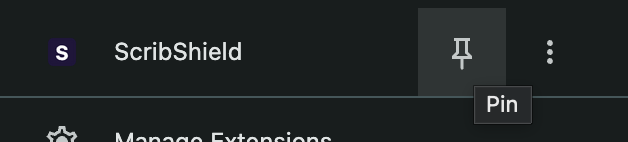
Your browser usually hides new extensions behind a puzzle-piece icon. Click that icon, find ScribShield in the list, and pin it so it stays visible.
Choose how much protection you want
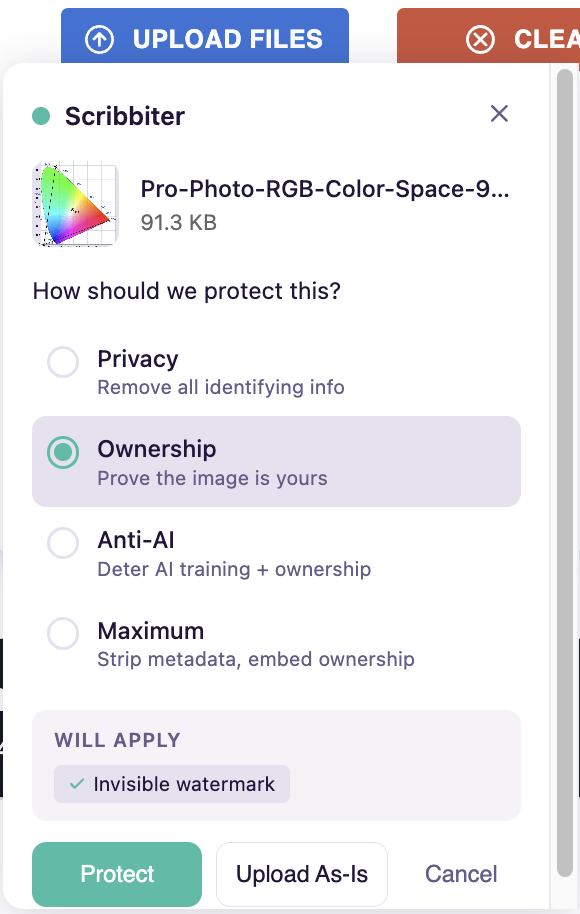
Open ScribShield and you'll see four ready-made settings, called presets.
- Privacy — removes the hidden details attached to your file, including location. Nothing is added to the image itself.
- Ownership — keeps those details and adds an invisible signature so you can prove the work is yours.
- Anti-AI — adds the signature, a visible watermark, and a faint pattern meant to interfere with AI training.
- Maximum — everything at once.
If none of those fit, leave the preset unchecked and switch the individual options on and off yourself.
Not sure which to pick? Start with Privacy. It's the least invasive — it takes information away rather than adding anything to your picture. You can always change it before the next upload.
Upload something, as normal
Go to whatever site you were going to post on and use its upload button. ScribShield catches the file on the way out, applies what you chose, and hands the protected version to the site.
Works with JPEG, PNG, WebP, GIF, SVG and 20+ RAW camera formats, so files straight off a camera are fine.
Keep a copy for yourself
Turn on auto-download and ScribShield saves the protected version to your downloads folder as well as sending it to the site.
Your originals are never touched. ScribShield works on the copy being uploaded. The file on your hard drive stays exactly as it was.